

Smart Observer: the CS2 spectator camera that follows the action
Observing a Counter-Strike 2 match well is hard — the key moment can happen anywhere on the map. MyHUD's Smart Observer analyzes the live game feed in real time, detects what matters (clutch setups, retakes, multi-frags, low-HP heroes) and switches your point of view to the right player, automatically.
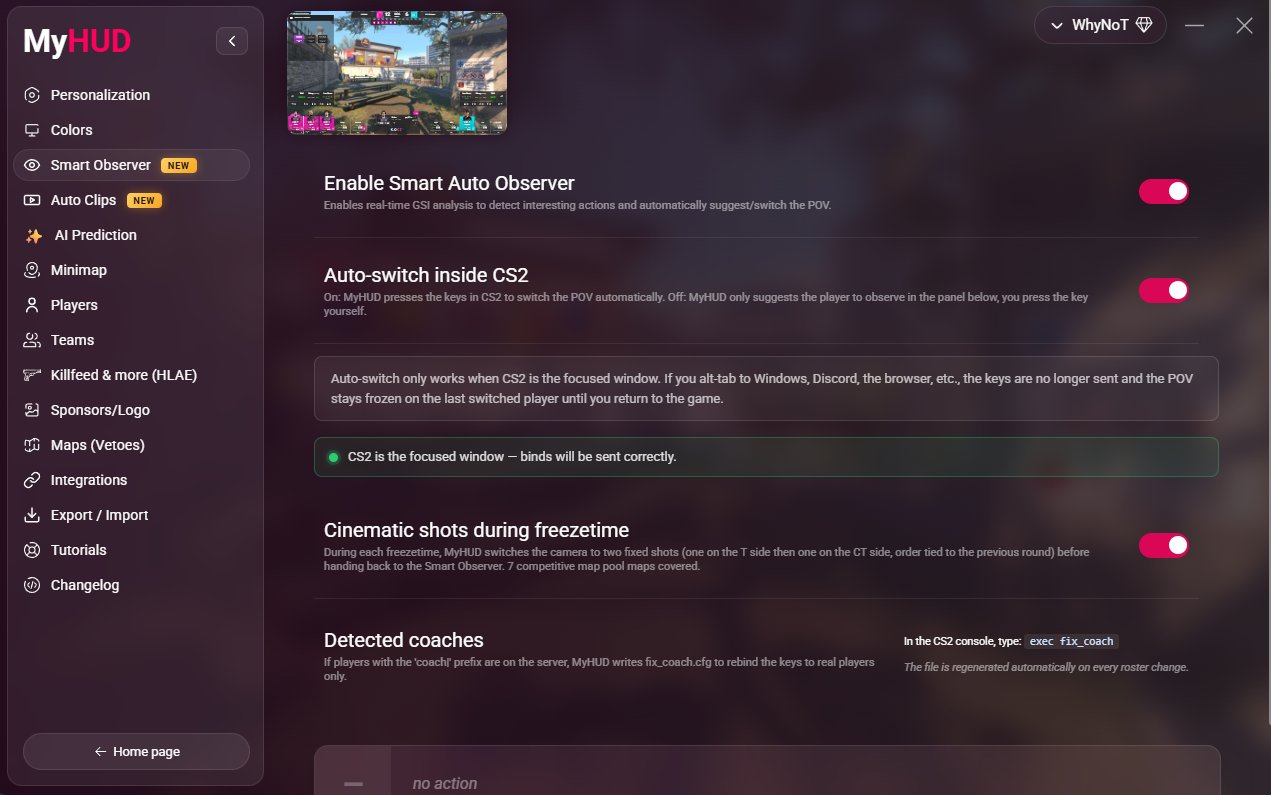
Auto-switch mode
In auto-switch mode, MyHUD presses the spectator keys in CS2 for you. It reads the live state of the round and moves the camera to whoever the viewer should be watching — so a solo caster can focus entirely on commentary while the observation takes care of itself.
Suggest mode keeps you in control
Prefer to drive the camera yourself? Suggest mode highlights the player to watch without taking over. You stay on the keys, MyHUD just makes sure you never miss the player about to pop off.
Cinematic freezetime
During freezetime, MyHUD plays two scripted cinematic camera angles on the seven competitive maps, giving your broadcast a polished, directed feel between rounds instead of a static spawn shot.
How it works
Smart Observer is built on the same live game data MyHUD uses to render the HUD. Because it reasons about the actual round state — who has the bomb, who is in a clutch, who just traded — its camera decisions track the story of the round rather than just following kills after they happen.
- Real-time detection of clutches, retakes and multi-frags
- Works across the seven competitive maps
- Pairs with the MyHUD HUD and minimap for a complete observer setup
Frequently asked questions
Questions & Answers
Everything you need to know about MyHUD
It can run fully automatically (auto-switch mode) or assist a human observer (suggest mode). Solo streamers often let it drive; productions with a dedicated observer use suggest mode.
Smart Observer works across the seven competitive maps, including the scripted cinematic freezetime angles.
No. Smart Observer is part of MyHUD and uses the same live game feed as the HUD — there is nothing extra to install or configure.
Ready to upgrade your CS2 broadcast?
Start with MyHUD today — free trial, no game files to edit.
Download MyHUD